
Start the Service
Start the Service
The Keyfactor Remote CA A certificate authority (CA) is an entity that issues digital certificates. Within Keyfactor Command, a CA may be a Microsoft CA or a Keyfactor gateway to a cloud-based or remote CA. Gateway Connector The Keyfactor Gateway Connector is installed in the customer forest to provide a connection between the on-premise CA and the Azure-hosted, Keyfactor managed Hosted Configuration Portal to provide support for synchronization, enrollment and management of certificates through the Azure-hosted instance of Keyfactor Command for the on-premise CA. It is supported on both Windows and Linux. service runs on the gateway connector server and controls gateway connector communications with the Keyfactor Remote CA Service server and the on-premise CA(s). During the configuration process you set the service account under which the gateway connector service will run. The service should start automatically at the conclusion of the installation. To check to see if it’s running and start it if necessary, follow the directions below for your installation type.
Windows Installations
The service on Windows is added with a display name of Keyfactor Gateway Connector The Keyfactor Gateway Connector is installed in the customer forest to provide a connection between the on-premise CA and the Azure-hosted, Keyfactor managed Hosted Configuration Portal to provide support for synchronization, enrollment and management of certificates through the Azure-hosted instance of Keyfactor Command for the on-premise CA. It is supported on both Windows and Linux. Service (Default) by default.
- On the Keyfactor Remote CA Gateway Connector server, open the Services MMC.
- In the Services MMC confirm that the Keyfactor Gateway Connector Service is set to a Startup Type of Automatic (if desired). If the service is not running, click the green arrow to start it.
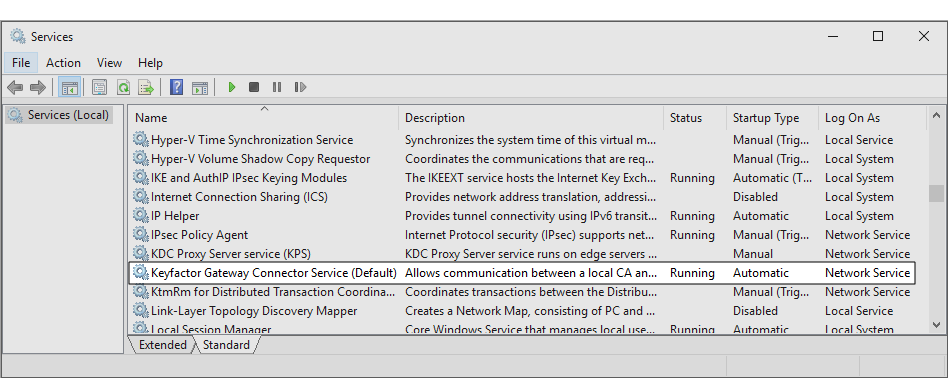
Figure 7: Keyfactor Gateway Connector Service
A parameter or argument is a value that is passed into a function in an application..Linux Installations
The service on Linux is added as keyfactor-gateway-connector-default by default, so when referencing it in startup commands, it should be referenced by this name, including case. For example:
